The Best AI Workflow Automation Tools in 2026
An opinionated ranking of 11 AI workflow automation tools. We grade them on human-in-the-loop, per-step model selection, and what happens when a workflow fails halfway through.
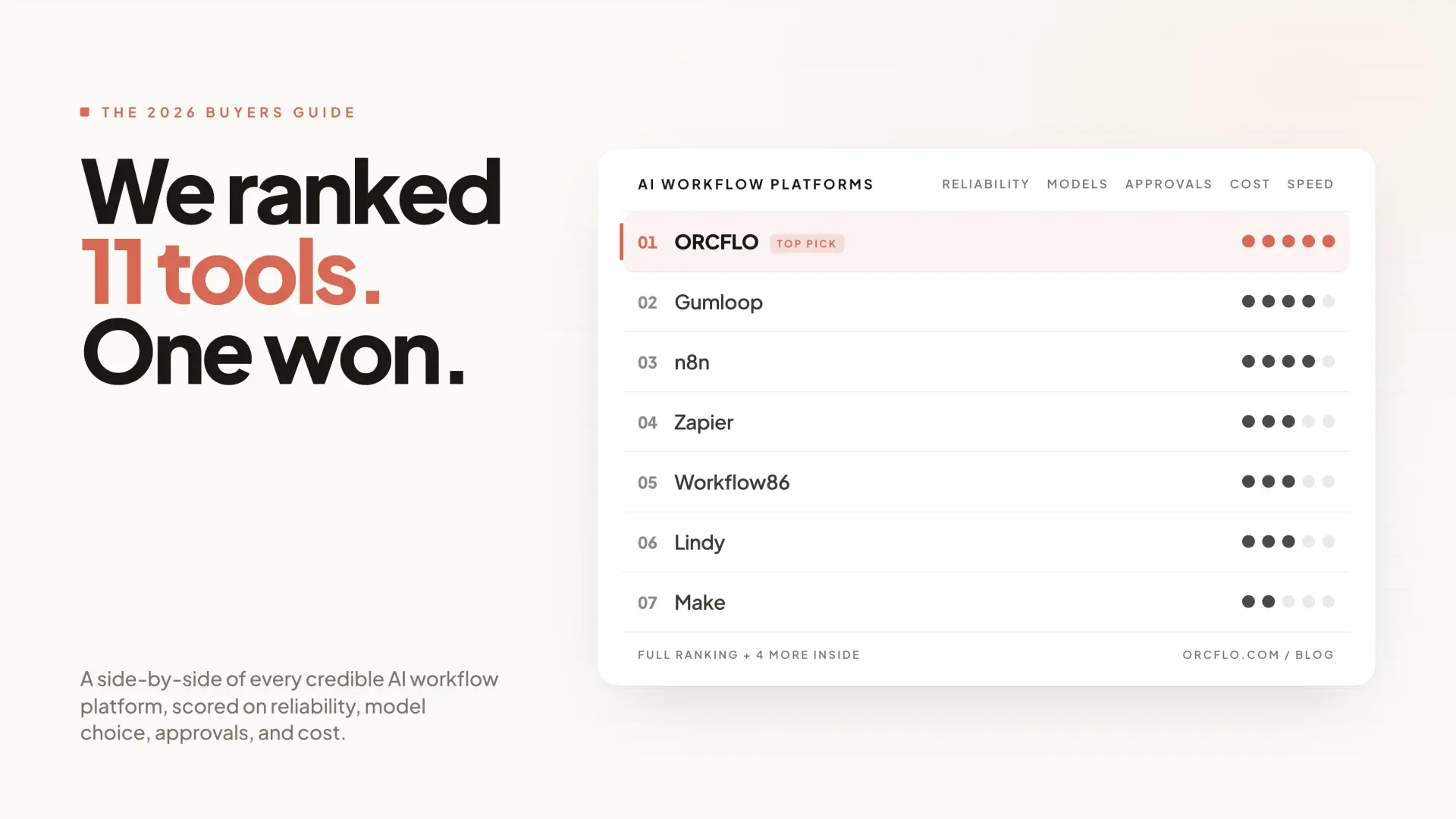
Most "best AI workflow tools" lists rank by feature count. That tells you what each platform can do. It does not tell you what breaks when you try to run one of these workflows on a real Tuesday with a real customer waiting.
We picked eleven AI workflow automation platforms, used them, and scored them on the three things that actually decide whether a workflow survives contact with production: human-in-the-loop control, per-step model selection, and what happens when a run fails halfway through. ORCFLO is on this list. We rank it first. We also list its two real weaknesses, because a comparison that only flatters the author is not a comparison.
How we scored these tools
There are roughly fifty AI workflow automation products on the market in May 2026. Most of them are good at the demo. Far fewer are good at the part that comes after the demo, which is where money gets spent and approvals get missed.
Three questions decide that:
- Can a human approve, reject, or revise AI output mid-run? Not in the chat-with-the-agent sense. In the "this email won't send until a reviewer signs off" sense.
- When something fails on step 7 of 10, can you fix the inputs to step 7 and rerun from there? Or do you start over from step 1, re-doing the first six?
- Can each step pick its own model based on evidence? Or are you stuck with one default for the whole workflow, picked on hunch?
Cost matters too. Every tool on this list bills differently (credits, tasks, executions). Nobody in this category has solved pre-run cost prediction yet, ORCFLO included. We treat that as a tie until somebody ships it. Pricing, funding, and feature claims throughout are as of May 2026.
The ranking
| # | Tool | Best for | Pricing model | Self-host |
|---|---|---|---|---|
| 1 | ORCFLO | Knowledge workers running multi-model AI workflows with human approval gates | Credits, priced on token consumption | No |
| 2 | Gumloop | Operators building AI-native flows fast, who want breadth (MCP, RAG, templates) | Credits, fixed per node class | No |
| 3 | n8n | Engineers and ops teams who want self-hosted control and 500+ integrations | Per execution | Yes |
| 4 | Make | Visual ops workflows with branching, light AI | Per operation | No |
| 5 | Zapier | Non-technical teams gluing SaaS apps together; AI is bolted on | Per task | No |
| 6 | Lindy | Pre-built AI agents for email, scheduling, support | Per task | No |
| 7 | Vellum | Engineering teams building production LLM apps with eval | Custom | No |
| 8 | Dify | Self-hosted LLM app builder with RAG | Open-source / SaaS | Yes |
| 9 | BuildShip | Visual backend + AI for developers | Per execution | No |
| 10 | Relevance AI | Sales-leaning AI agent platform | Per credit | No |
| 11 | Workato | Enterprise integration with AI features layered in | Custom | No |
The numbers are an opinion, not a leaderboard. The "best for" column is the more useful read.
1. ORCFLO
A visual canvas for building multi-step AI workflows. Drag steps onto a canvas, pick a model per step, chain them. Pause for human approval where it matters. Use the ORCFLO Index to pick the right model for each task instead of defaulting to one model for everything.
Best for: Analysts, founders, ops leads, and creators who want AI workflows they can actually trust in production. People who care more about predictability than agent autonomy.
What works:
-
Human-in-the-loop is first-class. Pause any workflow for approval. Reviewers can approve, reject, or send revision feedback that the AI then incorporates on the next iteration. Approvals route to Slack, email (with one-click presigned approve/deny buttons), and an in-app inbox. Most competitors have nothing equivalent.
-
Tool approval gates. Halt a workflow before any external action (sending an email, posting to Slack, writing to a database) so a human signs off. Unique on this list.
-
Restart-from-step. When step 7 fails, fix the inputs and rerun from step 7. Choose whether to replay against the workflow as it was at the original run, or the workflow as it is today. n8n's data pinning is close; nothing else is.
-
Multi-model, multi-provider. GPT, Claude, Gemini, Mistral, Grok. Each step picks its own. The ORCFLO Index is a proprietary benchmark that scores each model on real business tasks, so model selection is evidence-based rather than vibes.
-
Deterministic router separate from LLM-based criteria checks. Branching that does not require an LLM call is a router, not an agent. Mixing the two is how runs get expensive and flaky.
Two real weaknesses we will not pretend away:
-
No native RAG / vector store. You can pass files as context to a step, but there is no managed embeddings layer. n8n and Dify are stronger here.
-
No self-host. Cloud only. If your security review requires VPC deployment, n8n is the right tool.
Pricing: Free 500 credits one-time. Solo $15/mo for 1,500 credits. Power $30/mo for 3,600 credits. Credits are priced on the underlying token consumption of each step, so a step that uses more tokens costs more credits.
The bottom line: If a workflow has to stop and wait for a human, or if the wrong output costs money or trust, ORCFLO is built for that case. If your workflow is "scrape page, summarize, post to Slack" and never needs approval, almost any tool here works.
2. Gumloop
The AI-native canvas that defined this category. Series B of $50M from Benchmark in March 2026. Gumloop is strong at the part of the job that involves an AI step doing real work: scraping a complex page, extracting structured data, generating content. The Advanced Scraper handles SPAs and PDFs better than most.
Best for: Operators who want AI-native workflows shipped quickly and have the patience to debug credit consumption later.
Where Gumloop wins: MCP support (50+ servers), vector search and embeddings built in, agents-in-flows, a deeper community template library (earlier launch, more accumulated), BYOK with steep credit discounts.
Where it falls short: Gumloop's credit costs are fixed per node class (a "standard AI call" is 2 credits, "advanced" is 20, "contact enrichment" is 60), so heavy AI steps that should be cheap and light ones that should be expensive both hit the same flat tier. Custom nodes are flaky per the forum. There is no native human-in-the-loop. You can improvise it with agents, but it is not first-class. Pre-run cost predictors and hard budget caps do not exist at Gumloop — though to be fair, they do not exist at most tools in this list, ORCFLO included.
Pricing: Free tier 5,000 credits/month, Pro $37/month for 20,000+ credits. Sounds cheap until you find out a contact-enrichment node costs 60 credits per run.
3. n8n
The power tool. Self-hostable, source-available, 500+ integrations, native LangChain support, sandboxed JavaScript and Python code nodes. If you have an engineer who wants total control, n8n is the answer.
Best for: Technical teams. Devs. Ops engineers who would rather write expression syntax than fight a visual builder.
Where n8n wins: Self-host (their flagship moat), integration breadth, real code node with isolated-vm sandboxing, data pinning for iteration, AI Agent node with five architectures, 12 vector store integrations, 3,400+ public templates.
Where it falls short: The most-cited complaint is the learning curve. Community threads describe multi-day onboarding and, in edge cases, hand-editing JSON. The free Cloud tier was removed in 2025; entry paid is €24/mo Starter for 2,500 executions. Human-in-the-loop exists via a new Chat node but it is basic. No tool approval gates.
Pricing: Self-hosted is free (Sustainable Use License). Cloud starts at €24/month.
The call: n8n is the right answer for an engineering team that wants to own the stack. It is the wrong answer for the analyst who needs to ship an AI workflow this afternoon.
4. Make
Make (formerly Integromat) is the most mature visual workflow builder for non-AI automation. Branching, routers, iterators, error handling, all visual. AI features are present but bolted on rather than central.
Best for: Marketing ops, ecommerce ops, lead routing, approvals. Workflows where the AI is a small part of a mostly-deterministic flow.
Where it falls short: Make was built before the LLM era. Token-priced AI steps and credit-style budgeting are awkward to reason about on a per-operation pricing model. If your workflow is mostly AI work with some glue, you will outgrow Make. If it is mostly glue with some AI, you will not.
5. Zapier
8,000+ integrations. Almost certainly the answer when the question is "how do I connect Salesforce to this random SaaS app I just bought." AI features include natural-language triggers and basic AI steps.
Best for: Non-technical teams stitching together SaaS apps. Event-driven, single-step, low-stakes automations.
Where it falls short: Zapier is an integrations company that added AI. ORCFLO, Gumloop, and Lindy are AI companies that added integrations. For workflows where the AI is doing the work (analyzing, writing, deciding), the AI-native tools are better. For workflows where the AI is incidental, Zapier is fine.
6. Lindy
Lindy treats AI workflows as agents, not canvases. You pick a template (sales agent, scheduling agent, support agent), connect your accounts, customize behavior. The agent runs on triggers.
Best for: Teams who want pre-built AI assistants for known use cases (inbox triage, scheduling, support tickets) and prefer template-first to canvas-first.
Where it falls short: When the template does not match your use case, you are pushing a template-driven tool toward custom work it was not designed for. The canvas tools (ORCFLO, Gumloop, n8n) handle custom workflows more cleanly.
7. Vellum
Engineering-focused LLM app platform with strong evaluation tooling. Vellum is where you build a customer-facing AI product and need eval, prompt versioning, and observability.
Best for: Product and engineering teams building LLM features into their own product. Not the right tool for an analyst building an internal workflow.
8. Dify
Open-source LLM application builder. Self-hostable. Strong RAG support. Visual flow builder for LLM apps.
Best for: Teams who want a self-hosted alternative to Vellum for building LLM-powered apps, with built-in RAG.
Where it falls short: Smaller ecosystem than n8n. Less polished than the commercial tools. Documentation gaps in places.
9. BuildShip
Visual backend builder with AI nodes. Targets developers who want a low-code backend that includes AI orchestration.
Best for: Developers building backends. Less aimed at the analyst/operator persona.
10. Relevance AI
AI agent platform with a strong sales lean: outbound, research, enrichment.
Best for: Sales ops teams running outbound and research workflows.
Where it falls short: Heavier opinionation toward sales use cases. General-purpose workflow building is less of a focus.
11. Workato
Enterprise integration platform with AI features added. Strong on connector breadth and enterprise governance. Pricing is custom and not cheap.
Best for: Large enterprises with existing Workato deployments who want to add AI to existing integration recipes.
Where it falls short: Workato is an enterprise iPaaS, not an AI-native canvas. The AI features feel layered on rather than central.
How to choose: three questions
1. Does this workflow need to stop and wait for a human?
If yes, ORCFLO is the only tool on this list with first-class multi-iteration human-in-the-loop, tool approval gates, and Slack/email approval inboxes. Everything else is improvised.
2. Do you have an engineer who will own the stack?
If yes, n8n. Self-hosted, source-available, code nodes, deepest integration count. The learning curve is real but the ceiling is high.
3. Do you mostly need to glue SaaS apps together with light AI on top?
Zapier or Make. Both are mature, both have huge integration libraries, both treat AI as a step rather than the substance.
If none of those three is a clean yes, and your workflow is "AI does real work, sometimes a human checks it, cost matters," that is the case ORCFLO was built for.
What we deliberately did not score
Integration count. Past a certain threshold, the marginal integration does not change the buying decision. Composio plus a generic HTTP node covers most of the long tail.
UI prettiness. Every tool on this list has a workable UI in 2026. None of them is unusable.
Brand affinity. This is a buyers' guide, not a popularity contest.
Try ORCFLO
If the predictability story sounds right for your work, build a workflow on ORCFLO. Free tier, no credit card. The ORCFLO Index is open to everyone, and useful for picking a model even if you build elsewhere.